Are you thinking of starting a multi-channel eCommerce store? Managing a multi-channel eCommerce operation has become a vital aspect of business strategy. Not only does it expand your reach, but it also significantly boosts potential revenue. Providing several income streams with the same products is like having several brick-and-mortar shops instead of one.
However, juggling multiple platforms—from Amazon, eBay, Etsy, and Shopify—comes with its unique set of challenges. This post delves into practical strategies for seamlessly synchronizing your sales channels and ensuring your business thrives in a competitive marketplace.
Understanding Multi-channel eCommerce
What is Multi-channel eCommerce?
Multi-channel eCommerce involves selling your products on more than one sales or marketing channel. This approach allows businesses to meet customers wherever they prefer to shop, whether that's a social media platform, an online marketplace, or their own website. For example, if you create custom products, you could sell them on Etsy, eBay, Amazon, Facebook Marketplace, and your own website, plus many other channels.
The Benefits:
Adopting a multi-channel approach increases your market penetration and customer base. It enables flexibility and adaptability in how you connect with different customer segments. You might be limited by one platform, such as Etsy, which does not allow an Etsy store owner to sell their store, I found this out the hard way when I had a store on Etsy, you can't pass it on to your kids or sell it, only run it yourself. If you have multiple online channels, you can build a business that can be sold later or given to a friend or family member when you retire.
One example would be building a website with the same products as your Etsy or eBay store and then making the website your primary focus. This way, you are building a solid business that is yours to sell should you wish to do so.
Common Platforms:
Platforms like Amazon, eBay, WooCommerce, Etsy, and Shopify are popular choices, each with specific demographics and marketing tools. Social media channels like Instagram and Facebook Marketplace have also emerged as powerful sales channels, leveraging their large user bases and integrated shopping features.
Be careful which channel you choose, and be sure to look into all the fine print. There are hidden rules and regulations on some platforms that could come back to haunt you later. One example is Shopify, which restricts items, so if you want to sell something later that is on their naughty list, then you are out of luck.
That’s why it’s a great idea to have several channels. That way, you can simply list the products they do not allow on the other channels and sell the rest on Shopify.
Developing a Unified Brand Strategy
Consistency is Key:
One of the pillars of successful multi-channel eCommerce is consistent branding. Your brand’s logo, colors, and messaging should be uniform across all platforms to foster brand recognition and trust.
Remember to add your business card, coupons, or something that promotes your brand to every package you send. For example, if you sell coffee beans, maybe include a small sample of your best-selling coffee and your business card or brochure, possibly a coupon, within the package when you send the customer their order.
Note! Do not do this on all platforms. eBay and Etsy, for example, do not allow it, and it can get your store in big trouble. Always check their policy page beforehand. This is another reason you should also have a professional website designed for your company, as you will be free to promote your business.
Branding Tips:
Develop a comprehensive brand guide detailing your visual and verbal branding elements. This guide ensures that every channel accurately reflects your brand, maintaining a cohesive brand experience. Branding helps your customers think of you when they want to reorder; it creates thrust and authority in your niche.
Inventory Management Across Channels
Challenges:
One major hurdle in multi-channel eCommerce is synchronizing inventory across different platforms to avoid stock issues and overselling. I once had an online gift store selling engravable gift items. One of the most challenging tasks was keeping inventory correct and adjusting prices without hassle.
Strategies:
Implement an inventory management system that updates in real time. This system should integrate with all your sales channels to provide a unified view of stock levels. Maintaining the inventory on one shop is quite straightforward, but when you add several, they all need to work as one so that you don’t sell out on one site without syncing to the others. This can cause canceled orders and bad reviews, which in turn hurts your entire business.
Inventory Management Tools:
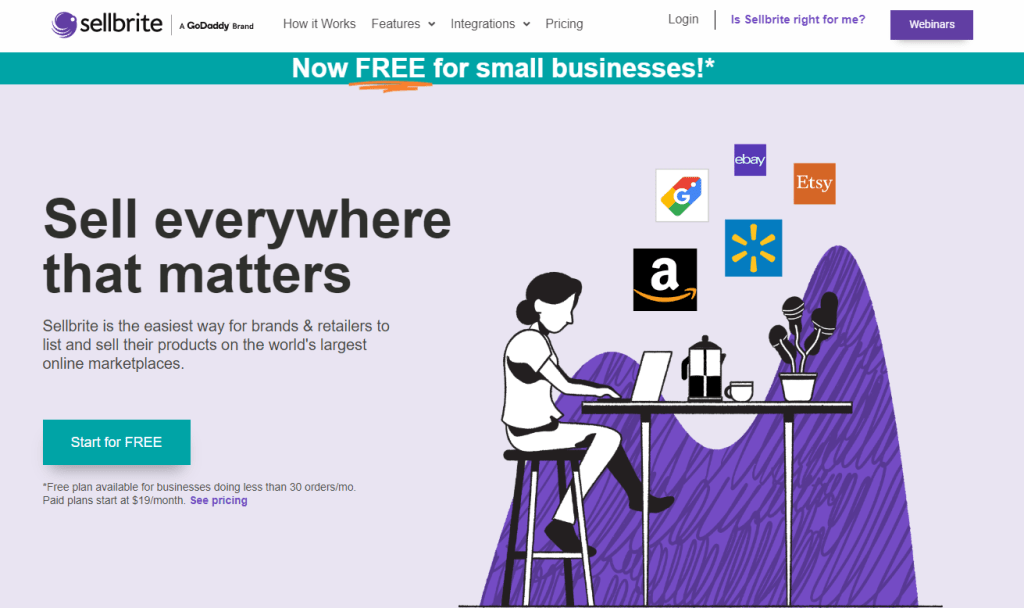
Software solutions like Shopify's inventory management tools or more specialized services like Sellbrite offer robust options for keeping your inventory aligned and updated. However, it depends on what shopping cart system you are using.
It’s best to do your research, look at reviews, contact their sales team, and, if possible, ask others who are already using the system if they like it and if it has any bugs or things they don’t like. Try to find someone in the same niche or similar niche to you so you have a good idea.
You don’t want to spend days importing and organizing all your channel’s products and then find out you are not happy with the system you selected. Trust me, I've made this mistake, and it's no fun.
Optimizing Channel-Specific Marketing Strategies
Channel Understanding:
The effectiveness of marketing efforts can be significantly enhanced by customizing them to the distinct audiences of various sales platforms. Each platform draws a unique demographic, and marketers must tailor their strategies to resonate with those demographics.
For instance, Facebook appeals to a broad demographic, including older adults, parents, and young professionals. Marketers can leverage this platform to promote products and services that cater to these diverse groups. On the other hand, Instagram is popular among millennials and Gen Z, making it an ideal platform to market trendy and visually appealing products.
By understanding the unique characteristics of each sales platform and tailoring messaging accordingly, marketers can increase brand awareness, generate leads, and drive conversions. This approach ensures that marketing efforts are targeted and effective, maximizing the return on investment.
Marketing Customization:
For example, your strategy on Instagram might focus on high-quality visuals and influencer collaborations, whereas on Amazon, it might focus more on customer reviews and optimized product descriptions.
Leveraging Data and Analytics
Role of Data:
In multi-channel eCommerce, data is an indispensable asset that provides valuable insights into customer behavior, sales patterns, and channel performance. It is the foundation for making informed decisions and optimizing online sales strategies.
Understanding Customer Behavior:
Data helps you understand customer preferences, browsing patterns, and purchase decisions. By analyzing customer data, you can identify target audiences, segment customers based on demographics or purchase history, and create personalized marketing campaigns to enhance customer engagement and conversion rates.
Tracking Sales Trends:
Data allows you to monitor sales performance across different channels. You can track sales volume, average order value, and repeat purchase rates to identify top-performing channels and products. These insights help you adjust inventory levels, allocate resources efficiently, and make data-driven decisions to maximize revenue.
Measuring Channel Performance:
Data enables you to evaluate the effectiveness of each sales channel. By comparing metrics such as conversion rates, bounce rates, and customer acquisition costs, you can determine which channels drive the most traffic, generate the highest sales, and deliver the best return on investment.
Types of Data:
To leverage data effectively, collecting relevant and reliable information is crucial. Some key types of data to consider include:
Sales Volume: Track the total number of units sold or revenue generated across different channels.
Customer Traffic Sources: Identify where your customers are coming from, whether it's search engines, social media, email marketing, or paid advertising.
Conversion Rates: Measure the percentage of visitors who complete a desired action, such as purchasing or signing up for a newsletter.
Customer Feedback: Gather customer feedback through surveys, reviews, and support interactions to understand their satisfaction levels and identify areas for improvement.
Application:
Once you have collected and analyzed data, you can use it to refine your multi-channel eCommerce strategies and optimize performance.
Refine Marketing Campaigns: Use data to create targeted marketing campaigns that resonate with specific customer segments. Personalize email messages, social media ads, and retargeting campaigns based on customer behavior and preferences.
Adjust Inventory Distribution: Allocate inventory across channels based on sales trends and demand patterns. Ensure that popular products are adequately stocked in high-performing channels to avoid stockouts and capitalize on sales opportunities.
Enhance the Overall Customer Journey: Use data to identify pain points and friction in the customer journey. Streamline the checkout process, provide multiple payment options, and offer excellent customer support to enhance the shopping experience and increase customer satisfaction.
By effectively leveraging data and analytics, multi-channel eCommerce businesses can gain a competitive edge, optimize their sales strategies, and drive sustainable growth.
Addressing Customer Service Challenges
The complexity of Managing Multiple Platforms:
Monitoring multiple communication channels, including phone, email, social media, and live chat, can overwhelm customer service representatives.
Customers may use different platforms to reach out, making tracking and prioritizing inquiries difficult.
The volume of inquiries can fluctuate depending on the platform, leading to inconsistent response times.
Common Issues:
Handling customer inquiries across multiple platforms presents significant challenges and has the potential to lead to inconsistent service experiences. Let's delve into the complexities of this situation and explore potential solutions:
Inconsistent Service Experiences:
Customers may experience varying levels of service quality depending on the platform they use.
Different customer service representatives may have varying knowledge and expertise, leading to inconsistent responses.
The lack of a unified platform for managing inquiries can result in disparate customer experiences.
Service Strategies:
Centralized Customer Service System:
Implement a unified customer service platform that integrates all communication channels (phone, email, chat, social media, etc.) into a single system. This ensures that all customer interactions are captured in one place, making it easier for agents to access customer history and provide consistent service.
Training and Development:
Provide comprehensive training to customer service representatives on various aspects of customer service, including communication skills, product knowledge, and problem-solving techniques.
Regularly assess agents' performance and offer continuous learning opportunities to enhance their skills and knowledge.
Quality Assurance:
Establish a quality assurance process to evaluate the quality of customer service interactions.
Monitor calls, emails, and chats (you must abide by local law) to ensure that agents adhere to company standards and provide exceptional customer experiences.
Customer Feedback:
Collect customer feedback through surveys, polls, and social media to understand their satisfaction levels and identify areas for improvement.
Use customer feedback to make necessary changes to service strategies and processes.
Personalization:
Leverage customer data to personalize the service experience.
Address customers by name, acknowledge their previous interactions with the company, and tailor solutions to their specific needs.
Self-Service Options:
Offer self-service options such as knowledge bases, FAQs, and chatbots to allow customers to find answers to common questions and resolve simple issues without contacting customer support.
Omnichannel Support:
Provide support across multiple channels to meet customers' preferences.
Ensure that customers can seamlessly transition between different channels without losing context.
Proactive Customer Service:
Monitor customer interactions and identify potential issues before they become problems.
Reach out to customers proactively to offer assistance or resolve potential issues.
Employee Empowerment:
Empower customer service representatives to make decisions and take action to resolve customer issues quickly and effectively.
Provide them with the necessary resources and authority to deliver exceptional service.
Continuous Improvement:
Regularly review and assess service strategies and processes.
Implement improvements to enhance the customer experience and stay ahead of evolving customer expectations.
Quick Response:
Prioritize quick and effective communication. Consider automated responses for common queries and a transparent system for escalating complex issues. AI is also a great way to respond quickly to your most common questions.
Continuous Improvement and Adaptation
The multi-channel eCommerce landscape is constantly changing. Review your strategies regularly and be ready to adapt to new technologies, platform updates, and shifts in consumer behavior.
Feedback Utilization:
Encourage and monitor customer feedback to identify areas for improvement. This direct line of customer insight is invaluable for refining your approach.
Managing multi-channel eCommerce effectively requires a well-orchestrated strategy that addresses the unique aspects of each platform while maintaining a cohesive brand identity and operational efficiency. Implementing these strategies ensures a seamless customer shopping experience and sets your business up for long-term success.
Take a moment to review your current multi-channel strategy. Are there opportunities for better integration or optimization? Sometimes, small changes can significantly improve efficiency and customer satisfaction.
Whether you’re just starting or looking to refine your existing operations, understanding and implementing these strategies can lead to a more robust and successful multi-channel business.
Need some help? Seller’s Bay specializes in eCommerce websites, and we can help you design, manage, and promote your online store. Contact us today for a free consultation.
Our eCommerce website design can help with the store at the centre of your sales channels. For its ongoing care, compare our eCommerce maintenance packages.
Orlando, a city pulsating with life, plays host to a spectrum of events that capture the essence of its dynamic culture, from the brushstrokes of art festivals to the innovative spirits of tech conferences. For businesses rooted in this lively locale, diving into the coverage of these events is not just about showing up; it's about weaving your narrative into the fabric of Orlando's vibrant tapestry. Imagine a local restaurant owner penning a passionate post about participating in a food festival, sharing the secrets behind their most cherished recipes. This not only showcases the business's alignment with local festivities but also carves out a niche in the community's collective memory.
Covering Local Events
Building Bridges through Stories
Each act of participation and every event covered becomes a bridge Orlando web design agency of Orlando, showcasing not just a brand but a community pillar. This approach transforms customers into neighbors, building a network of connections anchored in shared experiences and mutual support. It's about creating a legacy of involvement that transcends transactions, embedding your business as a cornerstone of the Orlando community.
Showcasing Community Involvement
When a business embeds itself within the heart of its community, it does more than just take up a physical space; it becomes a beacon of local values and commitments. Sharing tales of your business's journey through local charities, the excitement of sponsoring youth sports, or the hands-on experience of community clean-ups paints a picture of a brand that lives and breathes its dedication to Orlando's growth. This is not merely about charity; it's a testament to a business's roots and values, crafting a profound narrative that resonates with the local populace.
Share Customer Success Stories and Testimonials
Crafting Compelling Success Stories
The success stories defining its impact are at the core of every business. In Orlando, these narratives take on a local hue, highlighting how businesses have met and surmounted the challenges unique to their community. Crafting these stories with a keen focus on the problem-solution-benefit arc does more than illustrate service efficacy; it weaves your business into the larger narrative of Orlando's thriving ecosystem. These tales, grounded in local experiences, resonate deeply, painting your brand as an integral part of the community's success.
Integrating Customer Testimonials
The power of testimonials lies in their authenticity and the personal touch they add to your brand’s story. Incorporating genuine testimonials, especially those enriched with personal experiences and specific benefits felt by customers, transforms your blog into a platform of trust. By including authentic voices, complete with photos or videos for a touch of authenticity, you create a mosaic of satisfied clients in which prospective customers can see themselves, reinforcing your business's tangible value to the Orlando community.
The Local Connection
This strategy of sharing success stories and testimonials does more than showcase your business's achievements; it serves as a beacon for potential customers seeking local solutions. It's about building a community of shared experiences, where each success story and testimonial is a testament to your business's role in enriching the local landscape. These narratives demonstrate value and strengthen the bonds between your company and the Orlando community.
Provide Useful Guides and How-Tos Related to Your Industry
Creating Informative Guides
Guides and how-tos serve as a compass for those navigating the complexities of any industry, offering clarity and direction. In Orlando, a city with unique challenges and opportunities, these resources become even more valuable. For instance, a real estate agency might demystify the local housing market, offering wisdom on navigating its nuances. Such guides position your business as a sage in your field and a trusted companion for those journeying through the Orlando market.
How-To Articles for DIY Solutions
DIY articles tap into the spirit of self-sufficiency, empowering readers with the knowledge to tackle challenges independently. By providing clear, step-by-step advice, your business not only aids in immediate solutions but subtly showcases how your products or services can further ease these endeavors. Whether it’s sprucing up a garden, tech troubleshooting, or home renovations, these articles should reflect the unique flavor of Orlando, offering localized advice that speaks directly to the hearts of your audience.
Empowering Through Education
This approach educates and empowers your readers, fostering a sense of independence while highlighting how your business can assist in their journey. It's a subtle dance of offering immediate value through actionable advice while demonstrating the long-term benefits of your products or services. Through these guides and articles, your business becomes more than a provider; it becomes a partner in its community's personal and professional growth.
Discuss Trends and Innovations in Your Industry
Industry Trends
In an ever-evolving world, staying ahead of industry trends is crucial. By shedding light on how these broader shifts impact the local scene in Orlando, your business demonstrates its expertise and commitment to keeping the community informed and prepared. Whether it's a global trend making its way to Orlando or a local innovation setting the stage for international adoption, your insights can guide readers through the changing landscapes, offering an invaluable blend of foresight and wisdom.
Technological Innovations
The frontier of innovation is ever-expanding, and Orlando's vibrant market is no exception. Delving into the latest technological advancements, from healthcare breakthroughs to cutting-edge marketing strategies, and exploring their implications for Orlando residents positions your business as a harbinger of the future. It's about painting a picture of a world transformed by innovation, with your business at the vanguard, guiding the community through these exciting advancements.
A Vision Forward
This focus on trends and innovations does more than inform; it inspires. It sets the stage for a community eager to embrace the future, with your business leading the charge. By providing a local lens on global advancements, you not only elevate your brand but also enrich the collective knowledge of the Orlando community, fostering an environment ripe for growth and innovation.
Offer Exclusive Deals and Promotions
Promoting Exclusive Offers
Your blog can act as a beacon for exclusive deals and promotions, creating a buzz that draws in customers. Crafting these offers with exclusivity and a dash of urgency can turn a casual reader into an engaged customer. Imagine linking a special offer to an eagerly anticipated local event in Orlando, creating a unique opportunity that encourages immediate action. This drives sales and strengthens your connection with the local community, making your business a notable part of the Orlando experience.
Seasonal or Event-Specific Promotions
Orlando's calendar brims with events and seasonal milestones that shape the city's rhythm. Timing your promotions with these critical moments can capture the community's collective attention, leveraging the surge in interest and activity. Whether it's a summer discount, a back-to-school offer, or a holiday special, aligning your deals with Orlando's seasonal beats can magnify their impact, making your business a central figure in the city's festive spirit.
Maximizing Moments
This strategy capitalizes on timing and deepens your business's relevance within the Orlando community. Each promotion becomes more than a sales tactic; it celebrates the local culture and its defining moments. By embedding your business within these seasonal narratives, you create enduring connections with your customers, crafting a brand synonymous with Orlando's essence.
Provide Local Market Insights and Analysis
Analyzing the Orlando Market
Diving deep into the intricacies of the Orlando market offers a wealth of insights that can captivate a broad audience. From real estate ebbs and flows to shifts in consumer behavior, providing expert analysis on these topics can elevate your blog to a must-visit resource for those seeking to understand the local landscape. This kind of content informs and positions your business as a thought leader, deeply embedded in the fabric of the Orlando community.
Competitive Analysis
A thoughtful competitive analysis sheds light on where your business stands in the local ecosystem. By highlighting your unique value propositions compared to others, you articulate a compelling case for why customers in Orlando should choose you. This is not about diminishing competitors but about illuminating your business's strengths, casting a spotlight on how you uniquely meet the needs of the Orlando community.
Crafting a Niche of Expertise
This approach transforms your blog into a lighthouse of knowledge, guiding readers through the complexities of the Orlando market. It's about more than just business; it's about contributing to a well-informed community ready to navigate the challenges and opportunities of their locale. By providing these insights, your company becomes integral to the community's growth, fostering a relationship built on trust and shared aspirations.
Embracing these strategies can significantly amplify your business's voice, making it a resonant part of the Orlando landscape. Through a meticulous blend of local event coverage, community involvement, success stories, educational content, industry insights, exclusive offers, and market analysis, your blog can become a beacon of value, drawing in customers and establishing your business as a cornerstone of the community. The essence of a successful blog lies not just in engagement but in becoming an indispensable resource that enriches the lives of your readers.
Please share your experience with us.
We're eager to hear from you! Your experiences are invaluable, whether you've seen success with these strategies or have other innovative ideas for drawing customers through blogging. Please share your insights below, and let's create a vibrant community of knowledge and growth. If you want to refine your content marketing strategy or need assistance with your blog, reach out for a consultation. Together, let's elevate your business and make a mark on Orlando. Let Seller's Bay build your Orlando website design.
For help turning the ideas into useful website copy, explore our Content Marketing Services. If you also need a local website partner, see our Orlando Web Design Agency.
The relationship between your domain name and your business branding is akin to a lock and key — one ideally fits the other. A well-chosen domain name reinforces your brand and makes it easy for customers to remember and find you online. Take Dropbox, for example. The name is simple, memorable, and perfectly reflects the ease and functionality of the cloud storage service.
The Timing is Key
Timing isn't just a factor; it's the factor. In the race to secure your perfect domain name, hesitation can result in watching your ideal .com get snapped up by someone else. The internet waits for no one, and desirable domain names disappear faster than donuts in my fridge. Act swiftly to secure your brand's digital real estate.
Keeping It Short and Sweet: The Art of Domain Brevity
Benefits of a Short Domain Name
A short domain name isn't just a convenience; it's a strategic asset. Easy to remember, easy to type, and hard to mistype, short domains cut through the noise of the internet, ensuring your business stands out. They're the secret sauce in the recipe for online memorability and user-friendliness.
Strategies for Shortening
Achieving brevity while maintaining brand relevance is a fine art. Aim for nine characters or less, using clear, impactful words that resonate with your brand. If your business name is a mouthful, consider abbreviations or acronyms that retain brand identity without the linguistic gymnastics.
Navigating Common Pitfalls in Domain Selection
Avoiding Easily Confused Words
The road to domain selection is fraught with potential missteps, including the risk of choosing a name that's easily confused or misspelled. Avoid domains like mydoman4you.com, which can be confusing, as the number 4 could be "4", "four," or "for." Clarity and simplicity are your best friends here.
Securing Similar Variants
If your domain name has a common variant, securing several options can safeguard your online traffic. Redirecting one to the other through a 301 forward ensures you don't lose visitors to a typo. It's a small effort with big rewards to preserve your brand's digital presence.
Choosing a Reliable Domain Registrar
What to Look for in a Registrar
Not all domain registrars are created equal. Look for reliability, robust customer support, and a suite of services that cater to your needs. Security features, ease of domain management, and transparent pricing are also critical factors to consider. I use Godaddy.com, enom.com, and namecheap.com.
Recommendations and Considerations
Do your homework before committing to a registrar. Recommendations from trusted sources and reviews from current users can guide you to a service that meets and exceeds your expectations. Your domain name is a foundational element of your online identity—treat its selection and registration with the seriousness they deserve. Get an affordable website for your domain.
Conclusion
Choosing the right domain name for your business combines strategic thinking, brand alignment, and timing. This decision can influence your brand's online visibility, credibility, and memorability. By approaching domain selection with a clear strategy and understanding common pitfalls, you're setting the stage for a solid digital presence that resonates with your target audience and supports your business goals. After you have selected your domain and built your website, don't forget about website maintenance. We offer several full-service website management and maintenance services.
Optimizing your website for higher search engine rankings is essential in digital marketing.
Start with keyword research to understand what your target audience is searching for, then optimize your website's content, titles, and meta descriptions accordingly.
Keyword research is a cornerstone of effective digital marketing for HVAC Companies, especially for businesses looking to stand out online. It goes beyond simply identifying terms people are typing into search engines; it's about understanding the needs, questions, and problems your potential customers are trying to solve. Here's why it's crucial and what it involves:
The Importance of Keyword Research
Understanding Your Audience: Keyword research provides insight into what your target audience is interested in and how they express their needs. This knowledge allows you to tailor your content, services, and marketing messages to meet those needs more precisely. For example, you can run reports using software such as SEMrush.com, find relevant, high-traffic, low-competition keywords, and then target them with your content.
Improving Visibility: By optimizing your website and content for the right keywords based on your research, you can enhance your visibility in search engine results pages (SERPs). This increased visibility leads to more website traffic, which can translate into more leads and customers for your HVAC business.
Competitive Edge: Knowing which keywords your competitors are targeting and ranking for can give you insights into market trends and gaps. By targeting these gaps or optimizing for similar keywords, you can carve out your own space in the market.
Content Strategy: Keyword research helps inform your content strategy by identifying topics that interest your audience. This ensures your content is relevant and valuable, increasing engagement and establishing your authority in the HVAC industry.
ROI: Focusing on the right keywords can improve your SEO and marketing efforts' return on investment (ROI). You can attract more qualified traffic to your site without increasing your budget by targeting keywords with high search volume and low competition.
What Keyword Research Entails
Understanding Search Intent: Look at the intent behind the searches. Are people looking for information, purchasing, or seeking a service provider? Tailoring your content to match this intent can improve your chances of ranking higher and converting visitors.
Using Keyword Research Tools: Tools like Google Keyword Planner, SEMrush, Ahrefs, and Moz Keyword Explorer can help you find keywords related to your business, along with data on search volume, competition level, and related queries.
Identifying Your Core Keywords: Start with broad terms related to your HVAC services, then drill down to more specific terms. For example, start with "HVAC services" and then narrow down to "residential HVAC installation" or "commercial HVAC maintenance."
Analyzing Competitors: Research which keywords your competitors are targeting and ranking for. This can give you insights into their strategy and help you identify opportunities to differentiate your business.
Long-Tail Keywords: Don't overlook long-tail keywords—longer, more specific phrases with lower search volume but higher conversion potential. These are often less competitive and can attract more qualified leads.
Localization: For HVAC companies, local SEO is critical. Include location-based keywords in your research to attract local customers. For instance, "HVAC services in [City Name]" or "best HVAC contractor in [City Name]."
Ongoing Analysis: Keyword research isn't a one-time task. The market, trends, and user behavior change over time, so it's essential to regularly review and update your keywords to stay relevant and competitive.
In summary, keyword research is an essential process that helps HVAC companies understand their audience, improve their online visibility, and drive more targeted site traffic. By investing time and resources into thorough keyword research, you can develop a more effective SEO and content strategy that speaks directly to your potential customers' needs.
Remember, local SEO is crucial for HVAC companies. Ensure your business is listed in local directories and on Google Business, and always keep your NAP (Name, Address, Phone number) information consistent across the web.
Social Media Marketing
Social media isn't just for keeping up with friends and family; it's a powerful tool to build your brand and connect with potential customers. Platforms like Facebook, Instagram, and LinkedIn allow you to showcase your services, share customer testimonials, and post helpful tips and advice. Engage with your audience by responding to comments and messages. Use paid advertising on these platforms to target specific demographics and increase your reach.
Pay-Per-Click (PPC) Advertising
PPC is a model of internet marketing where you pay a fee each time one of your ads is clicked. It's essentially a way of buying visits to your site rather than attempting to "earn" those visits organically through SEO. Google Ads is one of the most popular PPC advertising systems. It allows businesses to create ads on Google's search engine and other Google properties. PPC is great for HVAC companies because it can generate leads quickly and allows for precise targeting and measurable ROI.
Content Marketing
Content is king in the digital marketing world. Creating and distributing valuable, relevant, consistent content attracts and engages a clearly defined audience. For HVAC companies, this could mean blogging about standard heating and cooling issues, how-to guides on simple maintenance tasks, or the benefits of regular HVAC check-ups. Content marketing helps establish your company as a trustworthy authority in your field, which can attract more leads over time.
Email Marketing
Email marketing is a direct way to reach potential and existing customers. It's cost-effective and can be highly personalized. Start by building a list of emails from your website visitors, and then send them newsletters, special offers, and updates about your services. Segment your email list so you can tailor your messages to different groups of customers for more personalized communication.
Conclusion
Integrating these digital marketing strategies can significantly boost your HVAC company's online presence and lead-generation efforts. The digital world is constantly evolving, so stay curious, test different methods, and adjust your approach based on what works best for your business and audience.
Remember, while the digital landscape offers numerous opportunities, the foundation of your success is built on providing excellent service and value to your customers. Digital marketing is just the channel to help you reach more of them. If you're ready to turn up the heat on your HVAC business's online presence, these strategies are your starting point. Let's make it an incredible journey ahead.
Our HVAC SEO Services focuses on search visibility for heating and cooling businesses; our Google Ads Management covers paid search campaigns.
In the simplest terms, ad extensions add more info to your ads, giving people more reasons to choose your business. Think of them as bonus content that makes your ad bigger and better. There's a variety to choose from, each serving a unique purpose:
Sitelink Extensions: These are additional links to help users navigate to other relevant pages on your site. Super handy for directing them right where they want to go.
Call Extensions: Add your phone number so folks can click and call you directly. This one's a game-changer for mobile users.
Location Extensions: Show your business address to attract local customers. Perfect for when you want people to find your storefront.
Callout Extensions: Highlight what makes your business special with short, catchy phrases.
Image Extensions: Add images to your ad to catch the eye.
Price Extensions: Display prices for your products or services, making it easier for customers to make decisions.
App Extensions: If you've got an app, this extension can prompt users to download it.
Selecting the right extension can seriously boost your campaign's effectiveness, so think about what you want to achieve and choose accordingly.
Setting Up Ad Extensions in Google Ads
Getting these extensions up and running is easier than you might think. Here's a quick guide:
Head over to the Ad Extensions tab in your Google Ads account. You'll find it neatly tucked away in the toolbar.
Choose the extension that aligns with your campaign goals.
Fill out the necessary details for your chosen extension. Whether it's URLs for your Sitelink Extensions or catchy phrases for your Callouts, make sure they're relevant and enticing.
Tips for Maximizing Effectiveness
To really make these extensions work for you, keep these strategies in mind:
Match extensions with your audience's needs. The more relevant the extension, the better the performance.
Keep your messages clear and concise. Whether it's a call to action or a feature highlight, make sure it's easy to understand at a glance.
Regularly review and update. As your business evolves, so should your extensions. Keep them fresh and reflective of what you offer.
Analyze performance data. Google Ads provides insights into how your extensions are performing. Use this data to tweak and improve.
Common Pitfalls to Avoid
While ad extensions can elevate your ads, there are a few traps you'll want to steer clear of:
Don't overload your ads with every extension available. Choose what's most relevant.
Avoid irrelevant extensions that don't support your campaign's goals.
Keep them updated. Outdated information can do more harm than good.
Wrapping Up
Ad extensions are a powerful tool in your Google Ads arsenal, offering a simple way to provide additional, valuable information to your ads. By carefully selecting and optimizing these extensions, you can improve your ad's visibility, click-through rates, and overall campaign performance.
So, why not give them a try? Experiment with different extensions to see what resonates with your audience. With a bit of trial and error, you'll find the perfect mix to boost your ads and achieve your marketing goals.
Looking for more tips and tricks? Keep exploring and always be ready to adapt your strategies. The Google Ads management world is always evolving, and so should our approaches to it. Here's to your success!